UrbanSitter: Find Child Care
- 3.5
- Rating
- 100.00K
- Installs
- Free
- Price

 Analysis by App-foxy
Finding dependable childcare is rarely a simple matter of opening an app and choosing the first available person. I tried UrbanSitter as a parenting app from UrbanSitter Inc., looking at it less like a quick directory and more like a tool for making a decision under pressure. My main question was practical: does it help a parent move from “I need someone” to a realistic, comfortable arrangement without creating more work than it saves?
My answer is cautiously positive. UrbanSitter: Find Child Care is most useful when you need to discover babysitters, nannies, or other childcare help in a local area and want a more organized starting point than asking around in group chats. It is free to install, carries an Everyone age rating, and has passed the early experimental stage of its life, having been released on April 21, 2015. At the same time, it is not a substitute for your own judgment, a conversation with a caregiver, or the references and checks that matter to your family.
How I Would Decide Whether UrbanSitter Fits My Family
I’d use this section to decide whether UrbanSitter solves a recurring childcare problem or merely adds another place to search. I’d weigh how often I need care, how much time I can devote to screening, and whether a local caregiver marketplace suits my family better than referrals or a more managed option.
You May Also Like

 Blood Strike: 2.5 Anniversary
Blood Strike’s Loadouts Turn Every Drop Into a Tactical Gamble
A close look at Blood Strike’s custom loadouts: how fast access to signature weapons reshapes its battle royale rhythm, rewards preparation, and narrows the gap between fights.

 Pandora - Music & Podcasts
Pandora’s Music Is Easy to Start, but Harder to Recover
Pandora’s strength is its low-effort path from a seed to a station. Its weak spot is how much confidence it asks you to place in connection, setup, and quiet recovery.

 8 Ball Pool
 Is Built on Rivalries, Rematches, and Routine
A close look at the rivalries, rematches, shared routines, and unanswered safety questions that turn a quick pool match into a persistent mobile community.

 Samsung Music
’s Quiet Strength Is Playing What You Already Own
Its reach comes less from spectacle than from dependable access to a personal library. That simplicity is both the app’s strongest retention engine and its ceiling.

 AccuWeather: Weather Radar
AccuWeather Review: A Quick, Clear Forecast for Everyday Decisions
For everyday plans, the best forecast is the one you can understand quickly. AccuWeather makes rain timing, radar, and local conditions easy to act on, with a few trade-offs.

 Hill Climb Racing
Why Hill Climb Racing Still Turns Crashes Into One More Run
A tiny car, a bumpy hill and one more upgrade: Hill Climb Racing keeps resurfacing because its simple chaos makes every near-miss feel personal.
More From Our News Desk



Start with the kind of childcare you actually need
The first decision is not whether the app is good. It is whether your need matches the way a childcare marketplace works. UrbanSitter makes sense when you are looking for a person rather than a facility: perhaps an evening babysitter, occasional help during a school break, recurring support, or a nanny arrangement that needs more thought than a one-off favor.
That distinction matters. If your child needs a fixed daycare place with a formal daily schedule, an established nursery or local childcare center may still be the better first stop. If you need someone for a particular evening or want to explore several kinds of in-home help, the app is more naturally aligned with the problem. I found its value strongest at the discovery stage, where the usual alternatives can feel scattered.
Before searching, I would write down the details that often get forgotten: the children’s ages, the expected hours, whether transportation is involved, bedtime responsibilities, allergies, pets, and any special routines. This is one of my most useful tips for using the app efficiently. A vague request produces vague conversations; a clear brief lets you compare candidates on the things that affect your household.
Use the app as a screening workspace, not a final decision
A profile can help you decide whom to contact, but it cannot show how a caregiver handles a tired child, a changed plan, or a parent who asks detailed questions. I treated every promising profile as an invitation to continue screening rather than as proof that the person was right for us.
My preferred workflow is to shortlist a small group, contact them with the same basic information, and compare the quality of their replies. Did they answer the actual questions? Did they ask about the child’s routine? Were they clear about timing and responsibilities? Those details are often more revealing than a polished introduction.
I would also arrange a conversation before committing. For a recurring arrangement, a short meeting with the child present can reveal more than a long exchange of messages. For a last-minute booking, that level of preparation may not be possible, which is precisely why I would avoid treating convenience as a reason to lower my standards.
Think about trust in layers
Parents often want a single signal that says “safe,” but childcare decisions do not work that way. I would combine what I learn in the app with direct questions, references where appropriate, identity confirmation, and a clear understanding of expectations. The app can organize the search, but the family still owns the final safety decision.
A useful habit is to prepare a short interview checklist before contacting anyone. I would ask about experience with the child’s age group, comfort with meals or bedtime, handling of emergencies, availability, and what information they would need on the first day. I would also explain house rules instead of assuming that common expectations are universal.
This layered approach is especially important for parents comparing a new marketplace with a recommendation from a friend. A personal referral may feel warmer and more trustworthy, while UrbanSitter can give you a broader set of people to consider. Neither route removes the need to check whether the arrangement works for your particular child.
Where the app feels genuinely useful
The strongest part of the experience is the way it turns an undefined search into a more manageable process. Instead of relying entirely on memory, neighborhood posts, or several separate conversations, I could approach childcare as a set of choices: occasional or recurring help, a sitter or nanny, immediate need or planned support.
That structure is valuable for families who have recently moved, do not have relatives nearby, or need care outside their usual routine. It can also help parents who are not sure what type of caregiver to seek. Seeing different profiles encourages more precise thinking about the role, even before a booking or interview takes place.
Another non-obvious strength is that it can help expose the cost of ambiguity. When you describe a request in detail, you may realize that “a few hours of babysitting” actually includes dinner, homework, bathing, and getting two children to bed. That realization helps you set fair expectations and compare people on the same job rather than comparing names in the abstract.
A realistic evening use case
Imagine a parent who has an appointment after work and needs care from late afternoon through bedtime. The child has homework, eats early, and becomes anxious when the routine changes. I would use UrbanSitter to identify possible caregivers, then send each one the same concise outline: arrival time, school pickup or not, meal details, bedtime steps, emergency contacts, and the child’s temperament.
After reviewing replies, I would choose the person whose response shows the clearest understanding of the evening, not simply the person who replies first. I would confirm the schedule in writing, explain the home routine, and make the first arrangement as low-risk as possible. If the sitter is new to the child, I would plan a short introduction before the actual appointment when circumstances allow.
In that scenario, the app’s contribution is not magical childcare. Its contribution is reducing the friction of finding and organizing candidates. The parent still has to communicate well, observe the child’s reaction, and decide whether the arrangement deserves another booking.
Where the usual alternatives may fit better
The main alternative is personal recommendation. A friend, neighbor, school contact, or family member may already know the caregiver’s character and work style. That route can be faster and more reassuring, especially for a child who struggles with unfamiliar people. UrbanSitter is more useful when your personal network is small, unavailable, or unable to cover the timing you need.
Local agencies are another category to consider. An agency may feel more suitable when you want a managed matching process, a long-term nanny search, or help with the administrative side of employment. The trade-off is that agency processes can feel less immediate and may involve more structure than a parent wants for occasional care. I would choose that route when continuity and professional support matter more than browsing flexibility.
Community groups and general classified listings can produce local leads, but they often require more manual sorting. You may need to verify basic details yourself and keep track of conversations across different channels. UrbanSitter’s advantage is concentration: the search begins in a childcare-focused environment rather than in a broad social feed.
For families who need institutional care, none of these options should replace checking licensed centers, school programs, or established daycare providers. A marketplace for individual caregivers is not automatically the right answer for full-day care, regulated needs, or a child who benefits from a consistent group setting.
Practical friction I noticed
The biggest limitation is that convenience can encourage rushed decisions. A parent who is already late for an event may be tempted to treat a promising profile as enough evidence. I would resist that pressure. The faster the need, the more important it becomes to simplify the request without skipping essential questions.
Another source of friction is comparison. Caregiving is personal, so profiles are not perfectly interchangeable. One person may be experienced with infants, another may be better suited to school-age children, and a third may communicate exceptionally well but not match your schedule. The app can help you gather options, but it cannot create a perfectly objective ranking.
There is also a mental cost to switching from a known caregiver to a new marketplace contact. Your child may need time to adjust, and you may need to explain household routines repeatedly. I would not switch simply because the app offers more choice. I would switch when the current arrangement is unreliable, too narrow for your schedule, or no longer suitable for your child’s changing needs.
What the numbers suggest about maturity
UrbanSitter has an average rating of 3.4 from around 1,800 ratings, alongside about 700 written reviews and over 100,000 installs. I read that as a sign of a useful but uneven experience rather than a universally loved one. A marketplace can work brilliantly for one family and feel disappointing to another because availability, caregiver fit, location, and urgency change the outcome.
The current version is 13.5.1(14739), and the app supports devices running Android 8.0 or later. Those details matter if you are planning to use an older phone as your household device or if you are installing it on a family member’s handset. The app itself is free, which makes trying the search process relatively easy, although a free app should not be confused with free childcare.
Three ways to get more from the search
First, create a reusable care brief. Keep it short enough to send easily, but include the schedule, child’s age, essential duties, location expectations, and any non-negotiable safety information. This saves time and makes replies easier to compare.
Second, separate “available” from “suitable.” A caregiver who can cover the exact hour is not necessarily the best match for bedtime, school pickup, or a child with additional needs. I would make suitability the first filter and availability the second whenever the situation allows.
Third, plan a trial arrangement with a clear endpoint. Rather than committing immediately to a long recurring schedule, I would use an initial booking or meeting to observe punctuality, communication, and the child’s comfort. This is a practical way to reduce the cost of a bad match without treating the caregiver unfairly.
Who should use it, and who should skip it
I would recommend UrbanSitter to parents who need to broaden their local search, prefer an app-based starting point, or want to compare sitter and nanny possibilities in one place. It is particularly appealing when your network has gaps and you need a structured way to begin.
I would be more hesitant to recommend it as the only solution for families seeking specialized care, a formal long-term employment arrangement, or a fully managed agency experience. I would also skip relying on it alone if the situation is urgent enough that there is no time for a proper conversation and introduction.
For a parent who already has a trusted sitter with dependable availability, changing systems may create more work than value. The app becomes worthwhile when it solves a real access problem, not when it merely adds another account to manage.
My recommendation after weighing the trade-offs
After using it as a decision tool rather than a promise of instant childcare, I see UrbanSitter as a sensible first step for many local childcare searches. Its free entry point and focused purpose make it easy to explore, while its marketplace format gives parents more routes than a single personal referral can provide.
My recommendation is to use it deliberately: define the job, shortlist carefully, ask consistent questions, speak with candidates, and treat safety checks as your responsibility. Do not choose solely on speed, a friendly profile, or the fact that someone appears available. The app is strongest when it supports a thoughtful process.
If you need occasional help and your usual network is not enough, I would try it. If you need regulated full-day care, specialized support, or a highly managed placement, I would compare it with local centers and professional agencies before deciding. UrbanSitter is best viewed as a practical bridge between “I need childcare” and “I have a caregiver I am genuinely comfortable hiring.”
FAQs for UrbanSitter: Find Child Care
01What is UrbanSitter and how does it work?
UrbanSitter is an app that connects parents with trusted babysitters and nannies in their local area. Users can search for caregivers based on experience, availability, and reviews. The app allows parents to book, pay, and communicate with sitters directly. It’s designed to make finding reliable childcare simple and efficient.
02Is UrbanSitter available in my city?
UrbanSitter operates in many major cities across the United States. To check if it’s available in your area, you can visit the app’s website or download the app to explore the list of cities and neighborhoods it serves. Expansion is ongoing, so new locations are added regularly.
03How does UrbanSitter ensure the safety of my children?
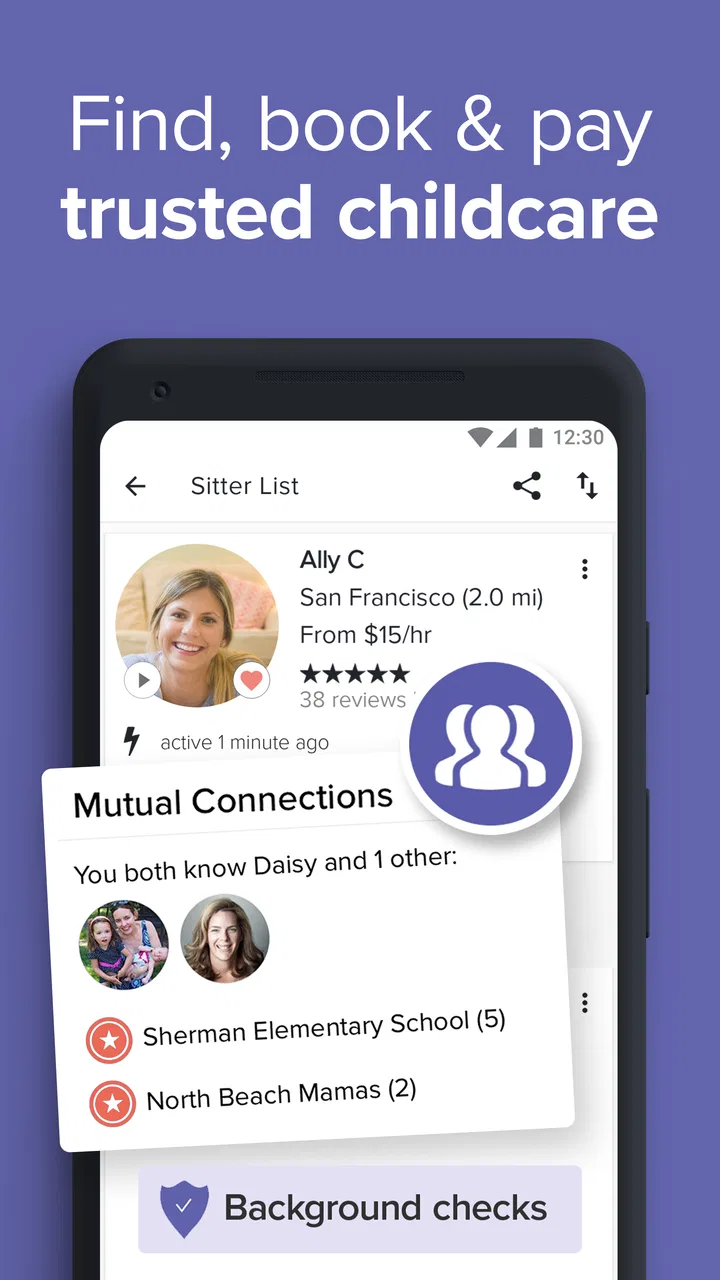
UrbanSitter prioritizes safety by implementing thorough background checks for all sitters. Parents can also view detailed profiles and read reviews from other parents. The app encourages users to arrange interviews or trial sessions to ensure the sitter is a good fit for their family’s needs.
04What are the costs associated with using UrbanSitter?
UrbanSitter offers different membership plans. Basic membership allows you to browse and contact sitters, while premium plans provide additional features such as unlimited bookings and waived booking fees. Costs can vary, so it’s advisable to check the latest pricing details on their website or app.
05Can I use UrbanSitter for last-minute bookings?
Yes, UrbanSitter is designed to accommodate last-minute childcare needs. The app allows you to see which sitters are available in real-time and book them immediately. This feature is particularly useful for parents who need urgent childcare solutions without compromising on quality and reliability.
Pros
- User-friendly interface for quick navigation.
- Verified sitters ensure peace of mind.
- Easy booking and payment integration.
- Real-time availability updates.
- Comprehensive sitter profiles with reviews.
Cons
- Limited availability in smaller cities.
- Subscription required for full access.
- Notifications can be overwhelming.
- Occasional app crashes reported.
- Some users find pricing high.

UrbanSitter: Find Child Care
Gallery